Getting things done at the LTO can feel like a headache. Long lines, missing forms, and confusing steps often make simple tasks harder than they should be. This is where the LTMS Portal comes in to make life easier for every vehicle owner and driver.LTMS stands for Land Transportation Management System. It is an online platform created to help people access LTO services without the stress of visiting a physical office every time. From renewing a license to checking violations, many tasks can now be done with just a few clicks.In this guide, we will explain what the LTMS Portal really means and how it works. We will also walk you through its key features and benefits. By the end, you will understand why this portal is becoming a must-know tool for every Filipino driver.
LTMS Meaning in Text
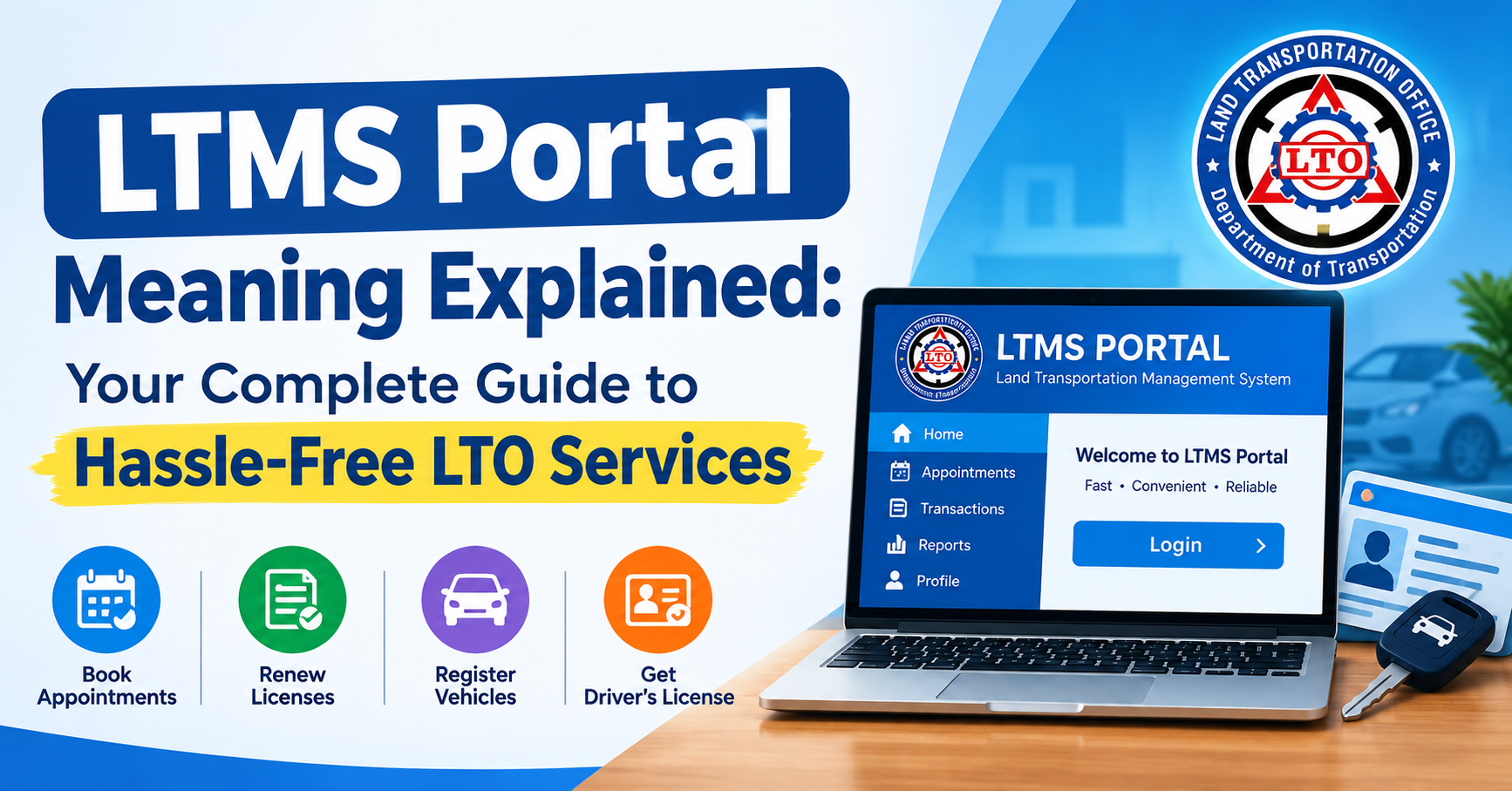
LTMS stands for Land Transportation Management System. When people type “LTMS” in chats, forums, or Facebook groups, they are usually referring to the online LTO portal itself, not just the technology behind it.
You may also see it written in different ways online, such as:
- LTMS Portal
- LTO LTMS
- LTO Online Portal
- LTMS LTO Gov PH
All of these terms point to the same thing: the official digital platform of the Land Transportation Office. So if a friend tells you to “check LTMS” before going to the LTO, they simply mean you should log in to the portal first.
What Is the LTMS Portal?
The LTMS Portal is the official online platform of the LTO. It was rolled out in 2020 as a one-stop digital system meant to bring together LTO services in a single database. Instead of visiting a branch for every small transaction, motorists can now do most of the process from their phone or computer.
The portal was built to serve a wide range of users. This includes new car owners, existing license holders, foreigners living in the Philippines, public transport operators, and businesses with transport-related activities. Even overseas Filipinos can use the platform to handle certain LTO transactions without needing to fly home first.
Think of the LTMS Portal as your personal LTO folder online. It works like an archive of your driver’s license details, payment receipts, apprehension records, and registered vehicles, all stored under one account.
Key Features of the LTMS Portal
The portal is not just a login page. It comes packed with tools meant to reduce your trips to the LTO branch.
| Feature | What It Does |
|---|---|
| Account Dashboard | Shows your license status, vehicle records, and transaction history |
| Online Appointment Booking | Lets you set a schedule so you skip the walk-in line |
| Driver’s License Renewal | Allows you to file and pay for renewal online before visiting a branch |
| Vehicle Registration | Supports online filing for renewal of registration |
| Violation Checker | Lets you view unsettled traffic violations tied to your license or plate |
| Digital ID / eDL | Gives access to an electronic version of your license with a QR code |
| Online Payment | Accepts payment for LTO fees through digital channels |
A few things worth knowing about these features:
- Most transactions still require a short branch visit for biometrics or photo capture.
- Not all LTO offices nationwide support every LTMS feature yet.
- The portal is available 24 hours a day, so you can prepare your requirements anytime.
How to Use the LTMS Portal
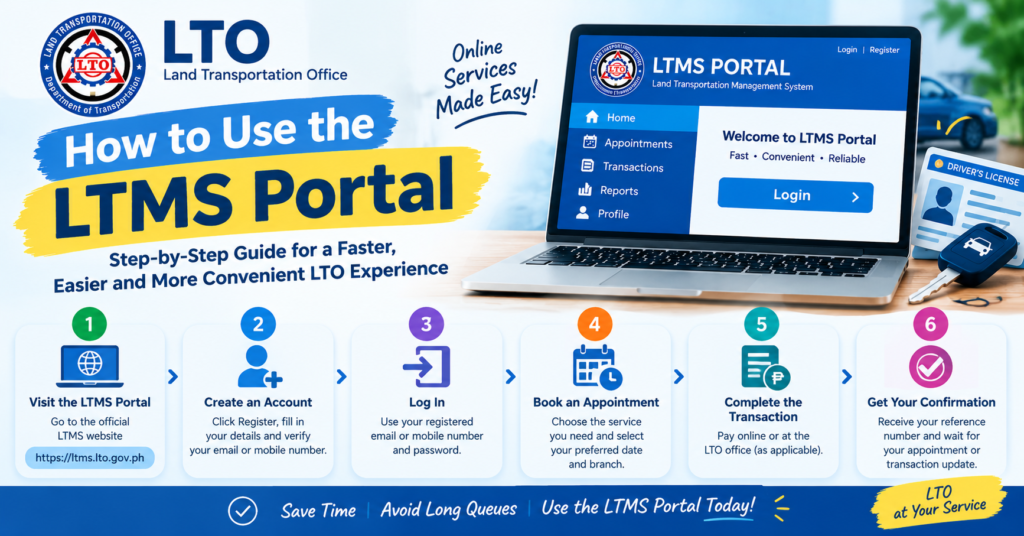
Using the portal is fairly simple once your account is set up. Here is the general process:
- Go to the official LTMS website.
- Create an account using your basic personal details.
- Verify your email address through the confirmation link.
- Log in and complete your profile information.
- Choose the transaction you need, such as license renewal or vehicle registration.
- Upload the required documents.
- Pay the necessary fees through the available online payment options.
- Book an appointment if a branch visit is still needed.
- Visit the LTO office on your scheduled date for biometrics or final processing.
What You’ll Need to Register
Before creating your account, prepare the following:
- A valid email address
- Full legal name and date of birth
- Mother’s maiden name (used for identity verification)
- A valid government ID
- A recent 2×2 or passport-size photo
- Your LTO client number, if you already have one
Having these ready before you start makes the registration process much faster and reduces the chance of errors that could delay your application.
Pro Tips for Using the LTMS Portal
A few small habits can make your LTMS experience much smoother:
- Double-check your details before submitting. Wrong spelling or a mismatched birthdate can delay approval.
- Use a stable internet connection when uploading documents to avoid failed submissions.
- Screenshot your appointment confirmation so you have proof even if the system logs you out.
- Try off-peak hours early morning or late evening tend to have less server traffic.
- Keep your login details saved somewhere secure since you’ll need the account for future renewals too.
- Bring physical copies of your documents to your appointment, even if you uploaded them online.
Challenges You Might Encounter
The LTMS Portal is helpful, but it is not perfect. Being aware of common issues can save you frustration.
| Challenge | Why It Happens |
|---|---|
| Slow loading or downtime | High user traffic, especially during peak hours |
| Appointment slots fully booked | Limited daily slots per branch |
| Login or verification issues | Email delivery delays or forgotten passwords |
| Uploaded documents rejected | Blurry photos or wrong file format |
| Certain services still need branch visit | Biometrics and driving exams cannot be done online |
If you run into a technical problem, it usually helps to clear your browser cache, try a different browser, or simply attempt the transaction again later in the day.
Get Ready with DriveSafe PH
Navigating LTO requirements is easier when you have guidance from people who understand the process. This is where DriveSafe PH comes in. It is designed to help motorists prepare for driving exams, understand documentation requirements, and feel confident before their LTO appointment.
Instead of guessing what to bring or worrying about failing your written or practical exam, DriveSafe PH offers structured guidance so you walk into your LTO appointment prepared.
Why Choose DriveSafe PH?
- Clear, easy-to-follow driving lessons for beginners and renewing drivers
- Practical tips based on real LTO exam patterns
- Support for understanding LTMS requirements before your appointment
- A focus on road safety, not just passing the exam
Choosing a reliable partner for your driving preparation means fewer surprises on exam day and a smoother overall LTO experience.
Conclusion
The LTMS Portal has changed the way Filipinos deal with the LTO. What used to mean long queues and wasted hours can now be handled, at least partly, from your own home. While the system still has some rough edges, it remains a major step forward for government services in the Philippines.
If you have not created your LTMS account yet, now is a good time to start. Being familiar with the portal today means less stress the next time your license or registration is due for renewal.
Frequently Asked Questions
What does LTMS stand for?
LTMS stands for Land Transportation Management System, the official online platform of the LTO.
Is the LTMS Portal free to use?
Yes, creating an LTMS account is free. You only pay for the actual LTO transaction fees.
Can I renew my driver’s license fully online through LTMS?
You can file and pay online, but you may still need to visit a branch for biometrics or exams.
Can overseas Filipinos use the LTMS Portal?
Yes, OFWs and Filipinos abroad can use the portal for certain LTO transactions without flying home.
What should I do if I forget my LTMS password?
Use the account recovery option on the login page and follow the email verification steps.
Is the LTMS Portal the same as the LTO Portal?
Yes, LTO Portal and LTMS Portal refer to the same official online system managed by the LTO.