SFM Compile: The Ultimate Guide for Beginners (2026)
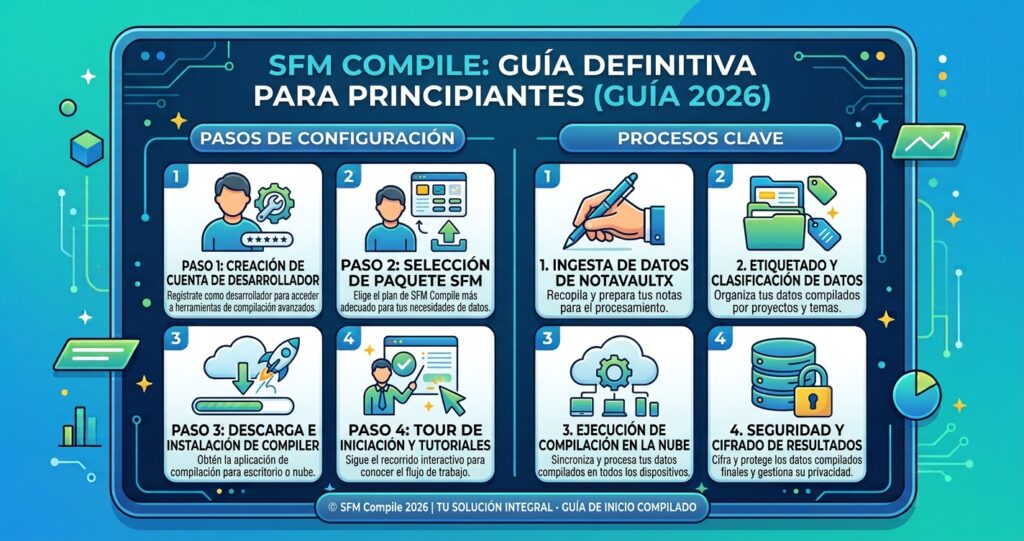
Source Filmmaker, or SFM, is a free tool made by Valve. It lets you create animated videos using game characters and models. Many creators use it to make short films, memes, and cool animations. It is popular because it is powerful and free to use.But sometimes SFM needs something called a “compile.” This means turning your models or files into a format the program can use. If you are new to SFM, this word can sound confusing at first. Don’t worry, this guide will explain it in a simple way.In this guide, we will cover everything a beginner needs to know about SFM compile in 2026. You will learn what compiling means, why it matters, and how to do it step by step. By the end, you will feel confident using SFM like a pro.
SFM Compile: The Complete Guide to Compiling Models in Source Filmmaker
Anyone who has dropped a custom character into Source Filmmaker and watched it turn into a purple-and-black checkerboard knows the frustration. The model looks perfect in Blender or Maya, yet the moment it enters SFM, something breaks. That gap between a finished 3D model and a working in-engine asset is exactly what SFM compile solves.
This guide walks through what compiling actually means, the tools you need, the full step-by-step process, common mistakes, and advanced tips — all in plain language, no prior modding experience required.
Understanding SFM Compile
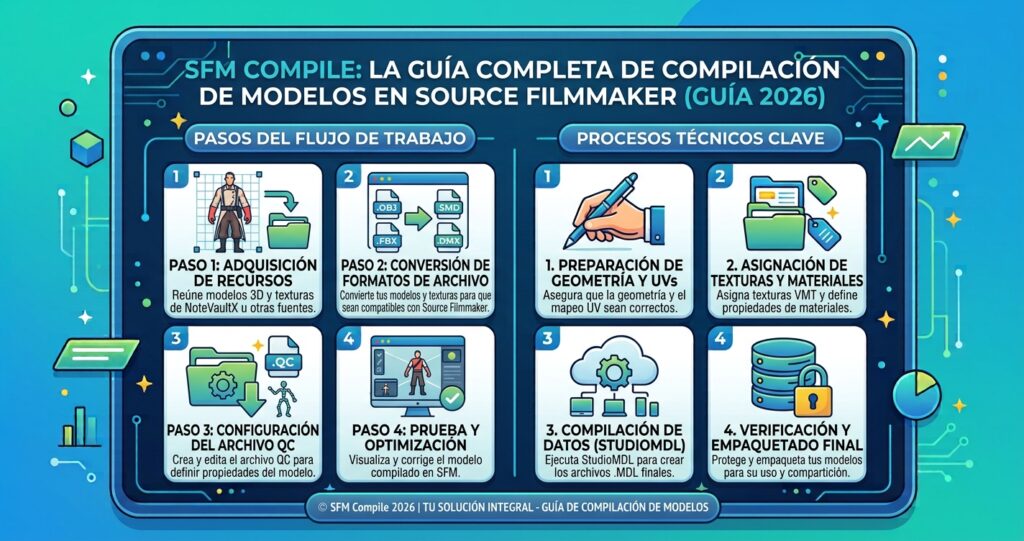
SFM compile is the process of converting a raw 3D model — along with its textures, skeleton, and animation data — into the MDL format that the Source engine can read and render. Source Filmmaker cannot open files straight out of Blender, Maya, or 3ds Max. Those programs save projects full of modifiers, layers, and editing history that the engine simply doesn’t need.
A compiler tool strips away everything unnecessary and repackages the mesh, bone structure, textures, and animation sequences into a tight, engine-ready bundle. The result is a set of files — MDL, VVD, VTX, and often PHY — that SFM can load, pose, and animate in real time.
Think of it as translation rather than conversion. Your modeling software speaks one language. The Source engine speaks a stricter, more compact one. Compiling is the bridge between the two.
Why Compiling Matters for Custom Content
Without compiling, a custom model is just a pile of loose files that SFM cannot recognize. Compiling matters because it:
- Makes custom characters, props, and weapons actually appear inside your scenes
- Links textures correctly so models don’t render as missing or purple
- Prepares animation sequences so rigs move the way they were designed to
- Packages physics and collision data so objects interact properly with the environment
- Keeps file sizes and performance optimized for real-time rendering
Skip this step, and even the most detailed model stays invisible to the engine.
Vital Software for SFM Compile
You don’t need an expensive pipeline to get started. Most creators rely on a small, free toolkit.
| Tool | Purpose | Beginner Friendly? |
|---|---|---|
| Blender + Source Tools plugin | Build and export models as SMD/DMX | Yes |
| StudioMDL | Valve’s official command-line compiler | Moderate |
| Crowbar | Graphical wrapper for StudioMDL | Yes |
| Notepad++ or VS Code | Write and edit QC scripts | Yes |
| VTFEdit | Convert and preview VTF textures | Yes |
| Half-Life Model Viewer (HLMV) | Test compiled models before importing | Yes |
Blender dominates the SFM community because it’s free and has a mature export plugin. StudioMDL is the actual engine that performs compilation, while Crowbar simply gives it a friendlier interface so you’re not typing commands manually.
SFM Compile Process Steps
The compile pipeline follows a fairly consistent order across every project, whether you’re building a simple prop or a fully rigged character.
- Create the 3D model in Blender, Maya, or another modeling application.
- Export to Source format as SMD or DMX files, including reference mesh and any physics collision mesh.
- Organize textures and convert them to VTF, then write matching VMT material files.
- Write a QC script that tells the compiler where each file lives and how to assemble them.
- Run the compiler using Crowbar or StudioMDL directly from the command line.
- Check the output in Half-Life Model Viewer to confirm textures, bones, and animations behave correctly.
- Move the compiled files into your SFM usermod folder.
- Import and test the finished model inside an actual SFM scene.
A basic QC file might look like this:
$modelname "custom/character.mdl"
$body body "character.smd"
$cdmaterials "models/custom"
$sequence idle "idle.smd"
Most failed compiles trace back to a typo somewhere in this file — a wrong folder path, a missing quotation mark, or a texture reference that doesn’t match the materials directory.
SFM Compile at a Glance
If you only remember one thing, remember this: raw 3D files go in, engine-ready MDL files come out, and a QC script controls everything in between.
- Input formats: OBJ, FBX, SMD, DMX
- Instruction file: QC script (plain text)
- Compiler: StudioMDL, often run through Crowbar
- Output formats: MDL, VVD, VTX, PHY
- Typical compile time: 10–20 seconds for a simple prop, 2–3 minutes for a complex rigged character
- Where files go: the SFM usermod directory
What Are the Right Practices for SFM Compile?
Good habits save far more time than they cost. Before compiling, make it a habit to:
- Keep models, textures, and QC files organized in clearly named folders
- Comment your QC files as you write them, so troubleshooting later is easier
- Test in small stages — compile a mesh first, then add animations, rather than everything at once
- Verify every texture path before hitting compile
- Keep polygon counts reasonable; models under roughly 60,000 triangles tend to perform best
- Save a template QC file you can reuse across projects
- Back up working versions before making major changes
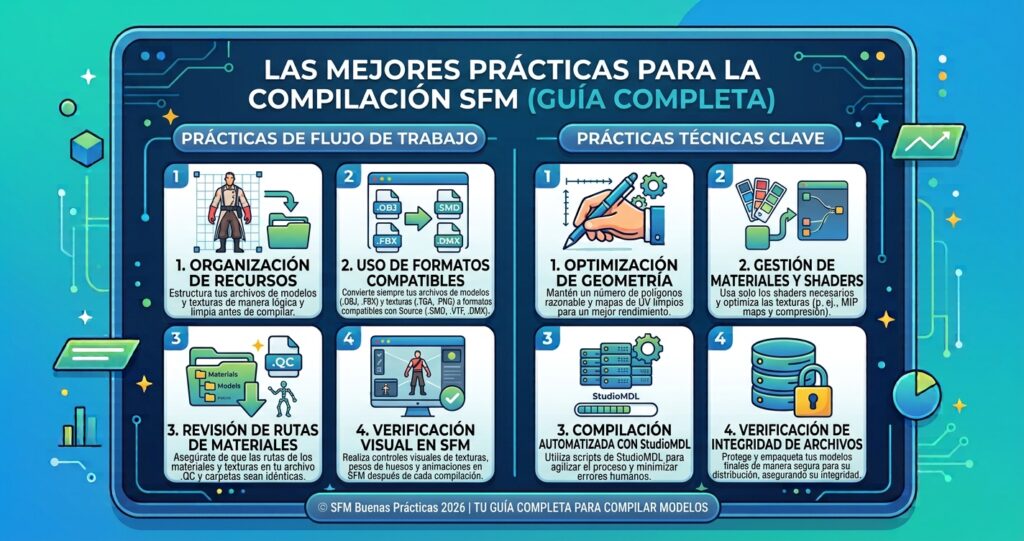
Optimization isn’t about cutting quality — it’s about trimming what the engine doesn’t need so the model still looks sharp but runs smoothly.
Common Errors of SFM Compile
Almost every creator runs into the same handful of problems at some point.
- Purple-and-black checkerboard textures — usually a broken or mismatched
$cdmaterialspath in the QC file - Model fails to load or crashes SFM — often caused by corrupted geometry, excessive polygons, or broken bone structures
- Missing animations — the sequence wasn’t correctly referenced in the QC script
- Compile succeeds but the model looks distorted — bone weights or scaling don’t match between the modeling software and Source’s expected units
- “File not found” errors during compile — file paths in the QC script don’t match the actual folder structure
Most of these are fixable in minutes once you know where to look — the QC file and the materials folder are the first places to check every time.
Sophisticated SFM Compile Techniques
Once the basics feel comfortable, there’s plenty of room to refine your workflow:
- Decompile existing models with Crowbar to study how professionally built QC files and rigs are structured
- Use LOD (level of detail) models so complex characters render efficiently at a distance
- Build custom bone structures and flex controllers for more expressive facial animation
- Separate physics meshes from render meshes to keep collision detection accurate without slowing down rendering
- Batch-compile multiple sequences by referencing external SMD animation files instead of rebuilding the whole model each time
- Layer proc bones and jiggle bones for secondary motion like hair, cloth, or accessories
These techniques mainly matter once you’re comfortable with the standard pipeline — trying them too early usually just adds confusion.
SFM Compile Workflow for Beginners: Where to Start?
If this is your first time compiling anything, resist the urge to jump straight into a full character rig.
- Spend time animating with SFM’s built-in Team Fortress 2 assets first, to learn the timeline, camera, and lighting tools.
- Install Crowbar and VTFEdit — together they cover most of what a beginner needs.
- Decompile a simple existing model to see how a working QC file is structured.
- Start with a single low-polygon prop — no rig, no animation — and get that compiling cleanly.
- Move on to a simple animated object once the static prop works reliably.
- Lean on community resources like the Source Filmmaker subreddit and Steam Workshop when you get stuck — chances are someone has solved your exact error before.
Patience matters more than talent here. Nearly every experienced SFM creator started with a broken purple model.
Frequently Asked Questions
What is SFM compile in simple terms?
It’s the process of converting a raw 3D model and its textures, bones, and animations into the MDL format that Source Filmmaker can actually load and render.
Do I need to know coding to compile models for SFM?
No. QC files use simple text commands rather than programming logic, so no coding background is required.
Why does my model show up as purple and black?
This checkerboard pattern means the engine can’t find your texture files, usually because the $cdmaterials path in your QC file doesn’t match your materials folder.
Is Crowbar better than using Studiomdl directly?
Crowbar is friendlier for beginners because of its graphical interface, while StudioMDL gives more direct control for advanced users comfortable with the command line.
Can I compile animations separately from the model?
Yes. Animation sequences can be exported as separate SMD files and referenced in the QC script, letting you update animations without recompiling the entire model.
What’s the difference between compiling and rendering in SFM?
Compiling prepares a model so the engine can read it; rendering is the separate process of generating the final image or video frames from your finished scene.
Why does my model look distorted after compiling?
This is usually caused by mismatched scale or bone weighting between your modeling software and Source’s expected units.
Can I use models compiled for other Source games in SFM?
Often yes, since many Source titles share the same engine format, but you may need to adjust texture paths or bone structures for full compatibility.
Conclusion
SFM compile can feel like a wall the first time you hit it, but it’s really just a translation step — one that turns your creative work into something the Source engine understands. Once you’ve organized your files, learned the basics of the QC script, and worked through a few common errors, the process becomes routine rather than mysterious. Start small, test often, and lean on the community when you’re stuck. Before long, bringing your own custom characters, props, and animations into Source Filmmaker will feel like second nature.